
Synthetic Installer
Uninstall
Remove one product or everything, always with a preview first.
- Open Home and press Uninstall on a product, or Uninstall everything.
- The app shows a list of exactly what would be removed. Nothing has changed yet.
- Review it and press Confirm and uninstall, or cancel.
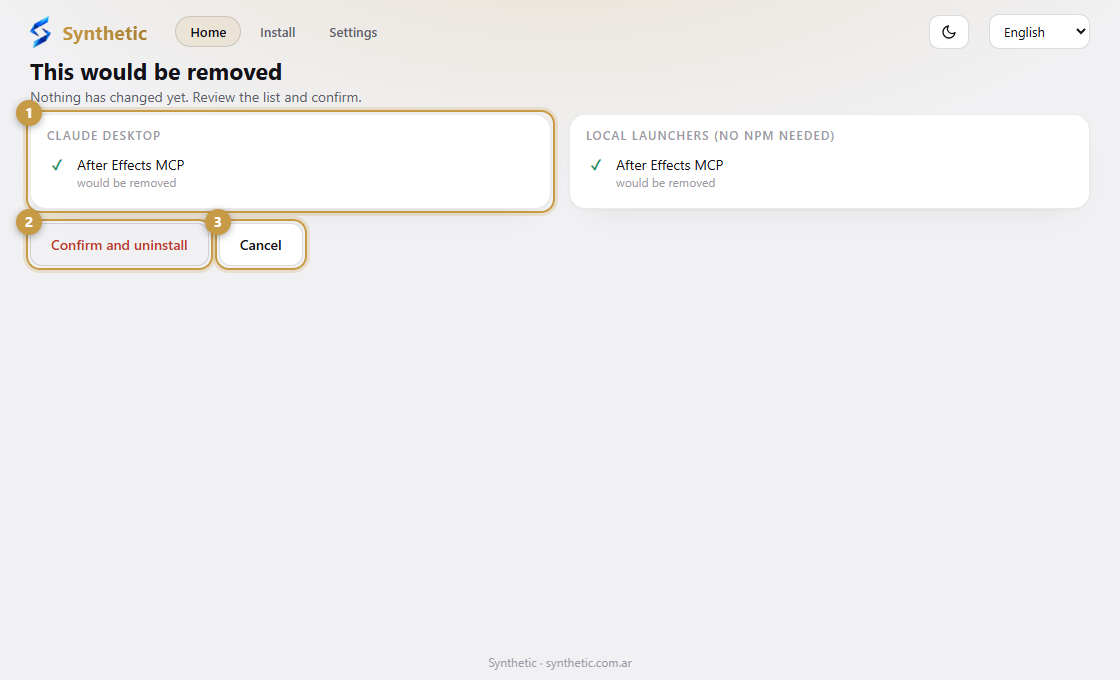
- 1The exact list of what would be removed. Nothing has changed yet.
- 2Confirm and uninstall removes it.
- 3Cancel leaves everything as it is.
What stays
Entries that belong to other tools in your AI apps, your Adobe projects, and any development copy of a panel (a linked folder or a git checkout). The app removes only what is recognizably Synthetic's. If a panel sits in a system-wide folder and needs administrator rights, it tells you instead of failing silently.